
The Foundation of an Ergonomically Healthy Desktop Workspace
Ergonomics is the scientific discipline dedicated to designing workstations that fit the specific needs of the individual, rather than forcing the body to adapt to an inflexible environment Workplace Ergonomics: How Can it Help You. By aligning a workspace with human mechanics, users can significantly reduce the risk of work-related musculoskeletal disorders, which account for over 40% of all occupational injury claims Office Ergonomics: The Complete Guide.
Maintaining a neutral body position is vital for long-term spinal health. This means keeping the head balanced over the neck, avoiding craning or forward-leaning, and keeping the spine untwisted 7 Things You Need for an Ergonomically Correct Workstation. When these dimensions are optimized, physical strain remains minimal.
At Ross Chiropractic, we recognize that desk-related discomfort is often systemic. Beyond mere seat adjustments, we use a patient-focused approach to evaluate and correct existing misalignments through corrective exercises and spinal care. If you experience persistent musculoskeletal issues despite your best efforts to optimize your desk configuration, our team can help you recover mobility and comfort through holistic strategies that prevent long-term damage.
Achieving the Ideal Neutral Posture Through Better Seat Adjustments
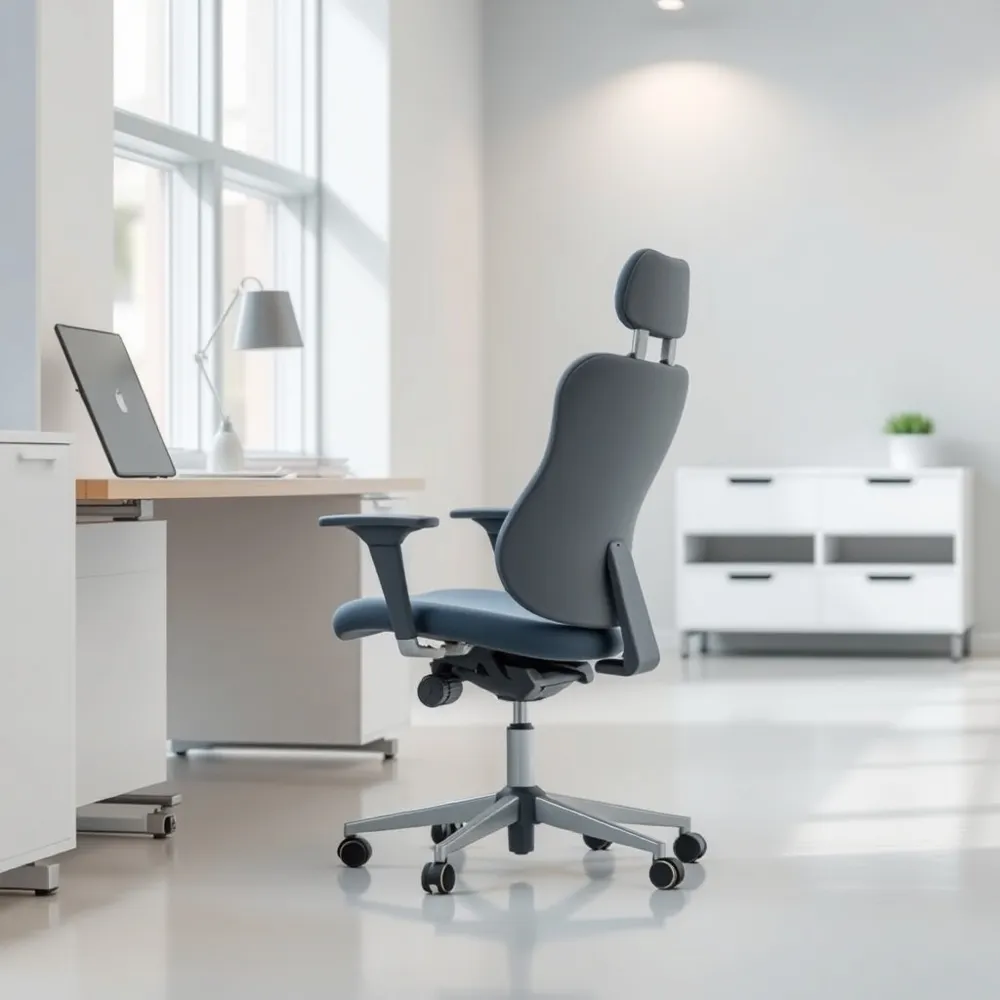 A proper ergonomic workstation begins with establishing a neutral body position, which significantly reduces the musculoskeletal stressors that often lead to neck, shoulder, and back pain 7 Things You Need for an Ergonomically Correct Workstation. At Ross Chiropractic, we often see how a sedentary environment without adequate support compromises your physical health, which is why we emphasize the importance of gentle chiropractic techniques to help patients restore that vital alignment.
Core Principles of Proper Seating
To achieve a supportive posture, start by adjusting your chair height so your feet rest comfortably flat on the floor Office ergonomics: Your how-to guide. If your feet dangle or you feel pressure behind your legs, utilize a footrest to ensure your thighs remain parallel to the ground. Your knees should form a 90-degree angle, providing a stable foundation that keeps hips level and prevents the slouching often associated with deeper office chairs Workplace Ergonomics and Safety: Tips, Equipment, and Examples.
Support for the spine is equally vital. A high-quality chair should maintain the natural S-curve of your back. Proper lumbar support should be positioned at the small of the back, roughly aligning with your belt loop height Workplace Ergonomics: How Can it Help You. If your chair lacks this feature, using a rolled towel or a small pillow can prevent the forward leaning that frequently causes recurring back pain Why Back Pain Returns After Initial Treatment and How to Prevent It. By ensuring your pelvis remains positioned under the spine, you reduce the strain on your vertebrae and discs, creating a more sustainable environment for long work hours.
Monitor Placement and Eye Health for Neck Strain Prevention
Correct monitor placement is vital for maintaining a neutral head position and preventing the muscle fatigue often associated with chronic neck strain. To optimize your view, position your monitor directly in front of you at an arm's distance, typically ranging from 20 to 40 inches from your face Office ergonomics: Your how-to guide. The top of your screen should sit at or slightly below your eye level, which encourages a natural gaze and prevents the painful craning often called tech neck Workplace Ergonomics and Safety: Tips, Equipment, and Examples.
If you wear bifocals, your visual needs differ. Consider lowering your monitor an additional 1 to 2 inches to ensure you are looking through the appropriate lens area without tilting your head at uncomfortable angles Office ergonomics: Your how-to guide. Additionally, lighting plays a critical role in eye health. Excessive glare from windows or overhead lights often compels you to lean forward or squint, leading to secondary postural collapse. Adjust your monitor angle or use task lighting to minimize reflections and keep your spine aligned.
Neck and back pain often arise when your workstation forces the body out of its neutral alignment. To manage discomfort, aim for a setup where your screen is correctly leveled while your chair supports your lumbar region. If you find that these adjustments fail to resolve persistent tightness, Dr. Allison Ross, DC provides targeted corrective exercises and personalized assessments that are more effective than the general advice found in standardized ergonomic guides. Her approach, which emphasizes structural balance and mobility, helps patients recover from the musculoskeletal imbalances that basic equipment changes alone cannot fix.
Mastering Keyboard and Mouse Techniques for Wrist Health
Correct peripheral placement serves as a primary barrier against carpal tunnel syndrome and other repetitive strain injuries Workplace Ergonomics and Safety: Tips, Equipment, and Examples. To ensure a neutral joint alignment, your keyboard and mouse must reside on the same surface within easy reaching distance. This arrangement prevents the rotational stress that occurs when those devices are separated by varying desk heights or excessive distances.
Your wrists should remain straight and parallel to the floor at all times. If a desk edge features a hard or sharp corner, utilize a wrist rest or padding to eliminate points of contact stress Office ergonomics: Your how-to guide. Many common desktop errors involve tilting the keyboard upward using its rear feet, which forces your wrists into an unnatural, extended position. Always keep the keyboard flat to distribute pressure evenly.
Modern hardware offers solutions to common desk constraints. Tenkeyless (TKL) keyboards, which lack a number pad, effectively bring your mouse closer to the body to minimize shoulder and arm extension. For chronic tension, split-layout keyboards allow for a shoulder-width hand position that prevents the inward hunched posture seen with standard equipment.
At Ross Chiropractic, we often find that persistent wrist or forearm discomfort requires more than just hardware adjustments. If you experience numbness or recurring soreness while typing, our team can provide personalized corrective exercises to stabilize the musculoskeletal support structures in your hands and wrists that standard desk assessments might overlook.
Combating the Sedentary Trap With Movement and Stretching
 Prolonged static sitting is one of the most common contributors to musculoskeletal strain Workplace Ergonomics: How Can it Help You. Even when your desk layout is optimized, remaining in a single position for hours can lead to muscle tightness, circulation issues, and chronic pain. At Ross Chiropractic, we frequently see patients who struggle with these issues because their body has been locked into a fixed posture all day. Unlike generic ergonomic advice that focuses only on stationary setups, our practice emphasizes proactive movement patterns to help maintain long-term spinal health.
How can the 20-8-2 rule help improve office ergonomics?
The 20-8-2 technique is a balanced protocol that breaks up the monotony of desk work by directing you to sit for 20 minutes, stand for 8 minutes, and move or stretch for 2 minutes Workplace Ergonomics and Safety: Tips, Equipment, and Examples. Repeating this cycle every half hour prevents the buildup of postural fatigue. While some competitors might suggest static standing as the answer, we advocate for these active intervals to keep joints lubricated and blood flowing freely. This strategy is far more effective at reducing stiffness than relying solely on a sit-stand desk.
- Set an automated reminder to stand, walk, or perform simple stretches every 30 to 60 minutes.
- Use standing desks to alternate between postures, but ensure you vary your position frequently to avoid new types of leg or back fatigue.
- Perform shoulder rolls and gentle neck stretches to off-load spinal pressure that accumulates when focusing on screens.
- Incorporate corrective exercises as recommended during your initial assessment to specifically target areas where you hold tension.
If you notice persistent discomfort even after implementing these movement breaks, it may indicate deeper misalignments. At Ross Chiropractic, we integrate personalized movement strategies with targeted adjustments to help you manage the physical demands of your workday and reduce the risk of recurring pain.
Essential Lifestyle Tips: Phone Use, Lighting, and Stress
Correcting your posture extends beyond just sitting correctly. Small daily habits often dictate your overall musculoskeletal health. Cradling a telephone receiver between your head and neck forces the cervical spine into a sustained, awkward twist, which triggers significant neck and shoulder tension Office ergonomics: Your how-to guide. For extended conversations, always use a speakerphone or a headset to keep the head balanced over the shoulders.
Visual fatigue also undermines physical comfort. When your desk lighting is insufficient, you naturally lean forward or crane your neck to read screens, an adjustment that causes progressive slouching. Task lighting should supplement overhead sources to eliminate glare, and you can further lower mental fatigue by incorporating noise-canceling headphones to manage stress-induced muscle tension.
If you struggle with habitual leaning or chronic stiffness despite these changes, professional alignment is often necessary. At Ross Chiropractic, we address these physical stressors through targeted adjustments and corrective exercises that go beyond generic office hacks. While standard recommendations focus on preventing injury, our approach restores proper spinal motion and pelvic balance, helping you maintain functional posture throughout your workday.
Correcting Misalignments and Improving Posture Through Chiropractic Care
While ergonomic workstation adjustments can prevent many injuries, they remain a reactive measure. Professional intervention addresses the musculoskeletal imbalances that have already taken root, which is a distinction that separates independent self-correction from the clinical approach found at Ross Chiropractic. Chronic slouching often leads to persistent conditions like forward head posture, commonly referred to as tech neck, and thoracic hyperkyphosis, where the mid-back becomes rounded and stiff.
How can a chiropractor help me fix bad posture caused by my desk setup? A chiropractor helps resolve postural issues by conducting a thorough assessment to identify specific spinal misalignments and muscle imbalances caused by long hours of sitting. Through targeted chiropractic adjustments, they restore proper spinal mobility, effectively countering conditions like tech neck. Beyond adjustments, our practice at Ross Chiropractic incorporates multimodal therapies, such as myofascial release, spinal traction, and corrective exercises, to strengthen weak muscles and lengthen tight areas that contribute to slouching. We also work with you to implement lasting ergonomic and postural habits that prevent the recurrence of pain. This non-invasive, personalized approach not only relieves discomfort but also supports long-term wellness by training your body to maintain a neutral, healthy posture throughout your workday.
Correcting these patterns requires more than just sitting up straight. It involves rebuilding muscle memory that has been compromised by years of repetitive strain. By pairing corrective exercises with structural adjustments, patients can achieve a stability that simple equipment changes cannot provide. This professional strategy helps bridge the gap between temporary comfort and lasting postural integrity.
Recognizing Red Flags When Pain Requires Expert Evaluation
 Correcting your workstation is a proactive step, yet some symptoms signal that structural issues require professional intervention. While minor muscle soreness often resolves with movement or office ergonomics adjustments, certain red flags demand immediate attention.
What are the early warning signs or 'red flags' that indicate a musculoskeletal issue requiring professional attention? Persistent numbness, tingling, or radiating pain suggest potential nerve involvement or disc-related concerns rather than simple fatigue. You should also seek professional evaluation if you experience localized sharp pain, muscle weakness, or a significant loss of mobility that does not improve with rest. At Ross Chiropractic, we emphasize that pain following trauma, such as an auto accident or a sports injury, necessitates expert screening to prevent long-term damage. While generic clinics might focus strictly on equipment, our patient-focused approach utilizes corrective exercises to address underlying imbalances that persist despite your best efforts to stay upright.
Your Journey Toward a Pain-Free and Productive Future
Integrating small, deliberate ergonomic adjustments into your daily routine creates a foundational shift toward lasting comfort. By moving away from reactive habits and consistently supporting your natural spinal alignment, you prevent the accumulation of muscle tension and joint strain before they escalate into chronic pain.
At Ross Chiropractic, we emphasize that true wellness relies on proactive strategies rather than waiting for injury symptoms to appear. Whether you require specific corrective exercises to address existing imbalances or a custom assessment to refine your current workstation, our approach targets long-term mobility and structural health. Contact our team to schedule a comprehensive evaluation, and start building the foundation for a more vibrant, pain-free future.