Why Desk Work Demands Spine Care
Over 90 % of adults will experience back pain at some point, and office workers are disproportionately affected—studies show that 23 %–38 % of desk‑bound employees report lower‑back discomfort, and prolonged sitting (more than six hours daily) can increase the risk of chronic pain by up to 40 %. Physiologically, sitting compresses lumbar intervertebral discs, flattens the natural lordosis, and deactivates deep core stabilizers such as the multifidus. Hip flexors remain shortened, glutes weaken, and forward‑head posture adds up to 10 lb of load per inch of head translation, accelerating cervical disc strain. The cumulative effect is reduced spinal hydration, heightened facet‑joint stress, and muscular imbalances that predispose workers to disc degeneration, sciatica, and tension‑type headaches. To counter these forces, ergonomic interventions—adjustable chairs with lumbar support, monitor at eye level, elbows at 90°, feet flat on the floor, and micro‑breaks every 30–60 minutes—are essential. When ergonomics alone does not resolve pain, chiropractic care offers spinal adjustments, soft‑tissue release, and corrective exercise programs that restore alignment, improve disc nutrition, and strengthen core and pelvic stabilizers. Integrating both ergonomic best practices and professional spine care protects the office worker’s spine and reduces long‑term disability.
Hidden Risks of Prolonged Sitting
 Prolonged desk work compresses lumbar intervertebral discs and flattens the natural lordosis, raising intradiscal pressure and stressing spinal ligaments. Sitting with hips flexed beyond 90° tightens the hip‑flexor group while the gluteals and deep core decondition, leading to anterior pelvic tilt and reduced lumbar support. Over time, static loading causes muscle deconditioning, forward‑head posture, and rounded shoulders, collapsing the spine’s natural curves.
Do desk jobs cause back pain? Yes. Research shows that more than six hours of daily sitting increases disc pressure by up to 40 % and predisposes to lumbar stiffness, neck strain, and leg discomfort. Ergonomic adjustments—lumbar roll, monitor at eye level, elbows at 90°—combined with hourly micro‑breaks and core‑strengthening exercises dramatically reduce this risk.
Are desk jobs hard on the body? Absolutely. Continuous sitting reduces circulation, tightens hip flexors, and overloads cervical and thoracic muscles, contributing to musculoskeletal pain and even metabolic disease. Simple interventions such as a supportive chair, footrest, and regular movement snacks protect the spine and prevent chronic strain.
What jobs cause the most back pain? Occupations that involve heavy lifting, repetitive bending, or prolonged static postures—construction, nursing, truck driving, and office work—are highest risk. Any role that lacks ergonomic support or forces the body into sustained awkward positions can lead to back pain.
Ergonomic Workstation Essentials
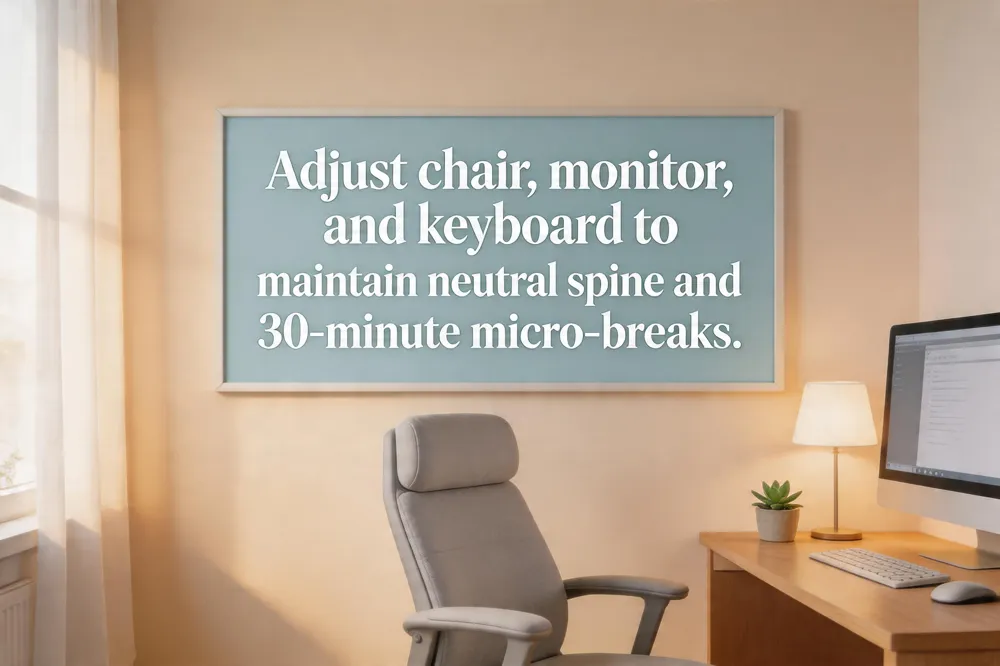 A well‑designed workstation starts with a fully adjustable chair that supports the natural "S" curve of the spine. Set the seat height so feet rest flat on the floor (or on a footrest) and the knees form a 90‑degree angle. Enable lumbar support or add a small pillow to maintain the lordosis.
Monitor and screen placement – Position the screen an arm’s length away (20‑30 inches) with the top of the display at or just below eye level. This keeps the head neutral, prevents forward‑head tilt, and reduces cervical strain.
Keyboard, mouse and arm angle – Keep the keyboard and mouse at elbow height so forearms are parallel to the floor and elbows form a 90‑degree angle. wrists should stay straight, and the mouse should sit close to the keyboard to avoid reaching.
The 30/30 rule and micro‑breaks – After every 30 minutes of continuous desk work, take a 30‑second micro‑break: stand, roll shoulders, stretch the neck, hips and back, and reset to a neutral posture. Frequent breaks restore spinal fluid circulation and lower cumulative fatigue.
Best ergonomic setup checklist – Chair with lumbar support, flat feet, 90‑degree elbows; monitor at eye level; keyboard/mouse at elbow height; clear under‑desk leg space; glare‑free lighting; frequently used items within arm’s reach.
Example setup – An adjustable chair, a height‑adjustable sit‑stand desk, monitor on a sturdy arm at eye level, keyboard and mouse on a tray at elbow height, a footrest if needed, and scheduled micro‑breaks every half‑hour. This configuration promotes a neutral spine, reduces muscle strain, and supports long‑term spinal health.
Chiropractic Care for Lower Back Pain
 Desk‑bound workers often experience lower‑back discomfort from prolonged sitting, slouching, and weak core muscles. Chiropractic care addresses these issues through a systematic assessment and targeted treatment plan.
What does a chiropractor do for lower back pain? A chiropractor first assesses the lumbar spine through a detailed history, physical exam, and sometimes imaging to identify misalignments, muscle tension, or nerve irritation. Using precise spinal adjustments—manual or instrument‑assisted—the practitioner restores joint mobility and reduces pressure on nerves, often accompanied by soft‑tissue techniques such as myofascial release or cold laser therapy. The chiropractor then prescribes corrective exercises and stretches to strengthen supporting muscles and improve core stability. Personalized education on posture, ergonomics, and daily movement habits helps prevent recurrence and supports long‑term wellness.
Is chiropractic safe for lower back pain? When performed by a licensed, well‑trained chiropractor, spinal adjustments for lower‑back pain are generally safe and effective for most patients. Large studies—including a 2018 JAMA Network Open trial—show that adding chiropractic care to standard treatment can reduce pain and improve function without serious adverse events. Serious complications are rare but can occur in people with specific contraindications such as acute fractures, severe osteoporosis, spinal infections, tumors, or a known high risk of stroke.
Do you feel pain after a chiropractic adjustment? It is common to experience mild soreness or a feeling of stiffness after an adjustment, especially during the first few sessions. This discomfort is usually temporary and resolves within 24 hours as the joints settle. Persistent soreness that is sharp or worsening should prompt a call to the chiropractor.
Chiropractic benefits and disadvantages Benefits include non‑invasive, drug‑free relief, improved mobility, posture correction, and prevention of chronic pain through adjustments, myofascial release, spinal decompression, and custom orthotics. Disadvantages may involve short‑term soreness, the need for multiple visits (which can increase out‑of‑pocket costs), and a small risk of serious complications with high‑velocity neck manipulations in individuals with pre‑existing conditions. Insurance coverage varies, so patients should verify benefits before beginning treatment.
Managing Upper Back, Neck, and Overall Posture
 Desk‑bound work often leaves the thoracic spine and neck in a rounded, stressed position. To relieve upper‑back pain, take a short movement break every 30‑45 minutes—stand, walk, or do a quick stretch that unloads the thoracic spine. Adjust the monitor to eye level, keep shoulders relaxed, and use a lumbar or upper‑back support to maintain a neutral spine. Seated thoracic extensions or twists (15‑30 seconds each) mobilize the upper back, while shoulder‑blade squeezes and chest‑opening stretches reinforce scapular stability. If discomfort persists, seek a professional evaluation for myofascial release, spinal decompression, or custom orthotics.
Proper sitting posture at a computer begins with hips back against a chair that offers lumbar support. Thighs should be parallel to the floor and knees at 90° or slightly lower; feet flat on the floor or a footrest. Shoulders stay relaxed, upper arms close to the body, elbows at 90°‑120° so forearms are parallel to the floor. Keep keyboard and mouse within easy reach, wrists straight, and monitor an arm’s length away with the top of the screen at eye level. A brief hourly micro‑break to stand or stretch helps maintain a neutral spinal posture.
A height‑adjustable standing desk lets you alternate between sitting and standing, reducing static spinal loading and easing lower‑back and neck discomfort. Position the monitor at eye level, elbows at 90°, and use an anti‑fatigue mat. Shift weight every 30‑45 minutes and incorporate gentle mobility breaks—such as spinal twists or myofascial release—to keep joints lubricated and support the adjustments you receive at Ross Chiropractic.
Cost, Accessibility, and Patient Considerations
 Pricing models for chiropractic care vary by region and practice. In San Jose, California, a standard adjustment at Ross Chiropractic typically costs $80‑$150, with first‑time consultations at $150‑$200. Insurance may cover part of the fee, leaving most patients $30‑$60 out‑of‑pocket per visit. Package discounts (e.g., six‑visit bundles for $500 or ten‑visit bundles for $800) and monthly wellness plans ($120 for up to four visits) further reduce the per‑session cost.
Potential downsides and contraindications should be weighed before committing to care. Temporary soreness after an adjustment is common, and multiple visits are often needed for lasting relief, which can increase overall expense. Insurance coverage is sometimes limited for adjunct therapies such as spinal decompression or custom orthotics. Certain health conditions—severe osteoporosis, recent fractures, vascular disorders, or active infections—are absolute contraindications for high‑velocity manipulation and may pose rare but serious risks like vertebral‑artery dissection.
The detoxification myth surrounding chiropractic adjustments is largely misunderstood. Adjustments do not generate new toxins; instead, they help mobilize metabolic waste—lactic acid, carbon dioxide, histamine, and cytokines—that has accumulated around joints and tissues. These by‑products are naturally cleared by the liver, kidneys, and lymphatic system, producing a brief “detox” sensation but no harmful chemical burden.
Taking Control of Your Spine Health
Desk work hides several spinal hazards that most people only notice after pain appears. Prolonged sitting compresses lumbar intervertebral discs, flattens the natural lordosis, and tightens hip flexors, while slouching and forward‑head posture overload the cervical spine and upper back. Poor chair, monitor, or keyboard placement creates asymmetric loading, leading to muscle fatigue, joint stiffness, and even early disc degeneration.
Ergonomic fixes are the first line of defense: an adjustable chair with lumbar support, a monitor at eye level (top third of the screen), elbows at a 90‑degree angle, and feet flat on the floor or a footrest keep the pelvis neutral and distribute forces evenly. Micro‑breaks every 30‑60 minutes—standing, stretching, or short walks—restore disc hydration and prevent muscle atrophy. Core‑strengthening and hip‑flexor stretches further stabilize the spine.
When symptoms persist, personalized chiropractic care can correct subtle misalignments, release tight fascia, and prescribe corrective exercises tailored to the individual’s workstation and lifestyle. Integrating ergonomic adjustments with regular chiropractic check‑ups offers a proactive, non‑pharmacologic strategy that reduces pain, improves mobility, and prevents chronic degeneration. Take charge of your spine today by evaluating your setup, moving often, and seeking expert, individualized guidance.